
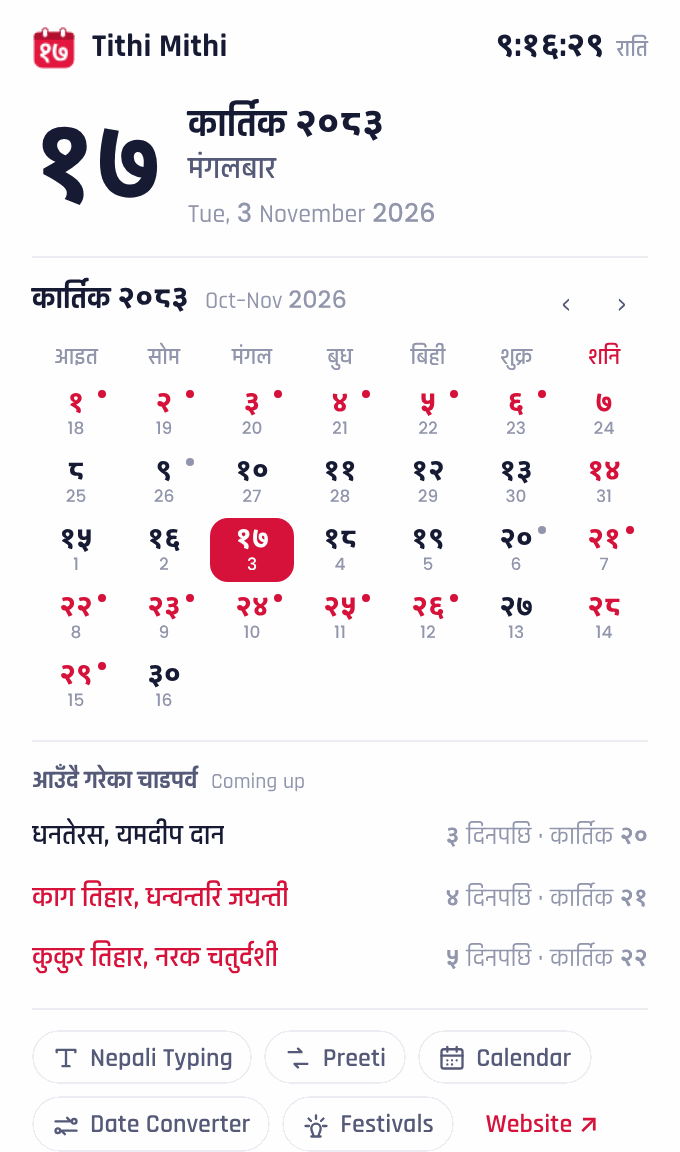
How to add it
- Open the extension on the Chrome Web Store.
- Click Add to Chrome, then Add extension.
- Click the puzzle piece in the toolbar and pin Tithi Mithi so the date is always in view.
Private by design
The extension doesn’t read the pages you visit, doesn’t track you and has no ads. It only asks Chrome for two things: an alarm to change the icon at midnight, and storage to keep the festival list on your computer so it works offline. Once or twice a day it downloads the latest holiday list from Tithi Mithi.
Is it free?
Yes, completely. No sign-up, no ads in the extension.
Is the date right where I live?
Yes. The date and the clock always follow Nepal time (UTC+5:45), so the Nepali date matches Nepal even if you are in Australia, the Gulf or America.
Where do the holidays come from?
From the same festival list as our festivals page, which follows the official calendar. When the government announces a change, the extension picks it up the next time it updates.
Does it work offline?
Yes. The calendar and the festival list are saved in the extension, so it works without internet.
Can I use it on my phone?
Phone browsers don’t support extensions. On a phone, open the Nepali calendar and add it to your home screen.